
What Are Access Arrangements?

In short, it’s about making the centre or the paper, accessible for all kids so they can achieve their full potential. It’s all about levelling the playing field and it’s not about giving some kids an advantage over others.
There’s a legal obligation
Access Arrangements are the principal way in which awarding bodies comply with their duty under equality legislation, including the Disability Discrimination Act 1995 (as amended), the Special Educational Needs and Disability (Northern Ireland) Order 2005 and the Special Educational Needs and Disability Act (Northern Ireland) 2016 to make ‘reasonable adjustments’
SEAG explain that the intention behind Access Arrangement is to meet the needs of an individual child who has identified specific significant/substantive need(s) without affecting the integrity of the Entrance Assessment.
Importantly, SEAG also say:
Access Arrangement cannot be put in place solely for the Entrance Assessment; any requested reasonable adjustment must reflect the normal way of working in everyday classroom practice.
So if you are going to request form access arrangements, make sure you’ve asked the teacher / school to implement the same adjustments to the child’s normal way of working in the classroom (the principal is asked to sign this off), otherwise the request could be rejected.
Who Can Get Access Arrangements?
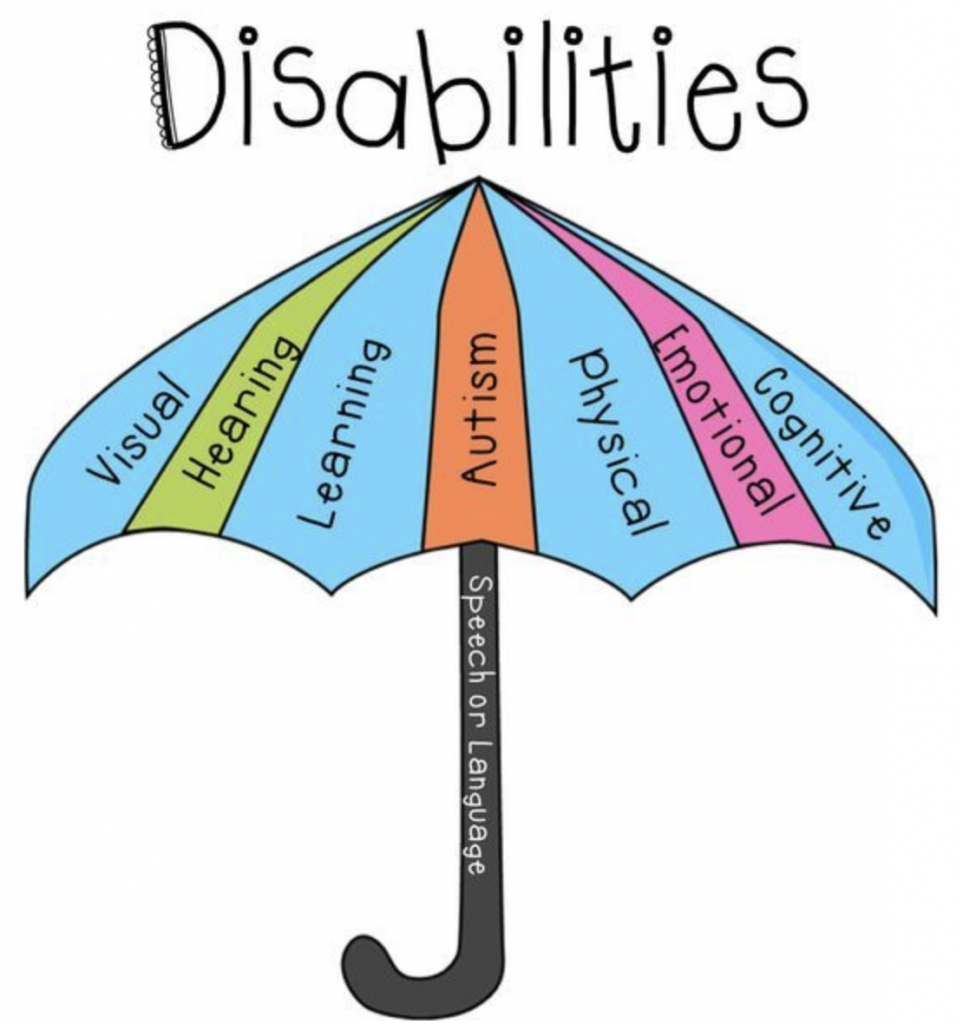
Parents of children who possess any physical, learning or medical impairment which may impact upon their ability to perform at their best in the assessments may apply for Access Arrangements.
Each child is different but the bottom line is that if your child has a specific need for the test and an adjustment can be requested that ensures your child has the same chance as everyone else, then there should be a case for requesting access arrangements – but it will need to be supported by evidence.
The application stands a particularly strong chance of success by the Access Panel, if the evidence points to the fact that the requested arrangement is reflective of the child’s normal way of working in school (this should be supported by a letter from the school). If you don’t have this, don’t panic and apply anyway with evidence that you do have.
Deadline In Applying For Access Arrangements

The deadline for supplying the evidence for access arrangements is the September and it will be the same date when registration closes.
In addition, there’s also a process for emergency access arrangements e.g. broken arm, but this would be more last-minute and would only be used when the requirement was not known in advance.
Types Of SEAG Access Arrangements Available

Extra time is probably the most common access arrangement which people think about, but below is a guide to all the different areas where access arrangements can be accommodated.
For the latest up-to-date policy requirements, please check the SEAG website or there is a policy document at the bottom of this blog (but just make sure it is the latest version).
1) Accommodation suited to a child with limited mobility
- Specific significant need – May be appropriate if a child has mobility difficulties.
- Example: a wheelchair user requiring an appropriate work surface.
- Evidence provided must include:
- Please check the latest guidelines from SEAG directly (PDF available at the bottom of this blog).
2) Bi-lingual dictionary – For children whose first language is neither English nor Irish, who have spent less than three academic years in the UK/Ireland before October 2024
- Access Arranagement – Bi-lingual dictionary and if approved, 25% extra time will also be awarded.
- Specific Significant Need – May be appropriate for children with English as a second language who have had less than three academic years in the United Kingdom and/or Ireland before October 2024.
3) Coloured Overlay
- Specific significant need – May be appropriate if a child has visual or educational difficulties which means that the child has used coloured overlays as his/her normal way of working in primary school
4) Electronic Reader Pen
- Specific significant need – May be appropriate if a child has significant educational difficulties which has resulted in the use of a Reader Pen as a normal way of working in the primary school.
5) Enlarged Papers – Questions and Answer Sheets to A3 Size
- Specific significant need – may be appropriate if the child has severe visual impairment.
6) Extra Time (To Include Breaks)
- Access Arrangement – Extra time is usually 25% which is 15mins on top of the 1hr.
- Specific significant need – May be appropriate if a child has:
- Autistic Spectrum Disorder (ASD)
- Sensory and /or Physical Needs (HI, MSI, PD, VI)
- Social, emotional or mental health needs (e.g., ADHD);
- Speech Language and Communication needs (SLCN)
7) Extra Time (Without Breaks)
- Access Arrangement – Extra time is usually 25% which is 15mins on top of the 1hr.
- Specific significant need – May be appropriate if a child has for example:
- Learning difficulties
- Dyslexia
- Processing speed
8) Individual Prompter (For Substantive Need Only)
- Access Arrangement – Individual Prompter
- Specific significant need – May be appropriate if a child has
- A substantial need.
- A classroom assistant assigned to the child would usually be part of the normal way of working in the classroom.
9) Invigilator to prompt
- Access Arrangement – Invigilator to prompt
- Specific significant need – May be appropriate if a child has
- Autistic Spectrum Disorder (ASD)
- Sensory and /or Physical Needs (HI, MSI, PD, VI)
- Social, emotional or mental health needs (e.g., ADHD)
- Speech Language and Communication needs (SLCN)
- Learning difficulties
- Concentration difficulties
- Processing difficulties
10) Medical Needs
- Access Arrangements – adjustments related to long term and/or serious medical needs.
- Specific significant need – Examples of long term and/or serious medical conditions:
- Asthma
- Cancer
- Diabetes
- Epilepsy
- Heart Condition
- Life threatening allergies
- Additional Notes On Medical Conditions:
- Some medical conditions may not require any adjustments but parents/guardians should inform SEAG of any long term or serious medical conditions.
- Please complete an Access Application and tick the appropriate box to indicate if this is ‘for information only’ or to request reasonable adjustments.
- This is not to be used for short term medical conditions, such as colds etc. at the time of the Assessments. If you feel your child has under performed due to a short term medical condition at the time of the Assessments this falls under Special Circumstances.
- It is not to be used for emergency needs, such as breaking an arm, close to or at the time of the Assessments, this would be addressed under the Emergency Access procedures.
11) Physical Support Team
- Access Arrangements – Physical support team
- Specific significant need – May be appropriate if a child has a physical or mental health condition which requires an aid.
- Additional notes if granted:
- These must not present any disruption or distraction to other candidates, either visually or auditory.
- Examples may be use of fidget toy, wobble cushion, security blanket or other physical support apparatus.
- Physical support items must receive approval prior to the test dates.
12) Reading Ruler
- Access Arrangements – Reading Ruler. A Reading ruler must not have any markings on it other than a straight line.
- Specific significant need – May be appropriate if a child has visual or educational difficulties which means that the child has used a reading ruler as his/her normal way of working in primary school
- If granted, it is the parent/guardian’s responsibility to ensure that the reading ruler is brought to the Centre by the child.
13) Scribe
- Access Arrangements – Scribe (only approved for substantive needs)
- Specific significant need – May be appropriate if a child has for example:
- A physical disability
- Developmental disorder
- Dysgraphia
- The provision of a scribe should reflect the child’s normal way of working in the primary school.
- Key points to note if a scribe is appointed:
- It is important to note that the SEAG Entrance Assessment requires minimal amounts of writing required for a small number of questions, usually no more than 1-to-6-word answers. Most of the answers are multiple choice requiring the selection of a letter or number on an answer sheet.
- A scribe is a responsible adult who records a child’s dictated answers to the questions.
- A scribe must be a responsible adult who is acceptable to the Head of the Assessment Centre, appointed by SEAG.
- The scribe is there to write what the child says.
- The scribe can change what they have written, but only if the child asks the scribe.
- If there are problems communicating, the scribe must tell the invigilator.
- The scribe can’t:
- give the child any help with answers;
- suggest when an answer is finished;
- tell the child which questions to choose;
- tell the child when to move on to the next question;
- or tell the child which questions to do first.
- The scribe can read back what the child has written, but only if the child asks the scribe.
- A scribe is not an assistant, prompter or a reader.
- A scribe may be appropriate for Emergency Access Arrangements – please refer to the Emergency Access Policy online.
- The child will be placed in a room with the invigilator and a scribe.
14) Sign Language Interpreter
- Access Arrangements – A Sign Language Interpreter will present the questions without changing the meaning, adding any additional information or providing an explanation as to what the question requires of the child.
- Specific significant need – may be appropriate if a child has a medical diagnosis of severe hearing difficulties which cannot be improved by other audio devices.
- Note if granted – the Sign Language must be appointed and approved by SEAG.
15) Smaller Group Invigilation (without extra time)
- Access Arrangements – Smaller Group Invigilation
- Specific significant need – may be appropriate if a child has a severe medical, either physical or mental health, need which indicates that the child cannot be in larger group of children. Appropriate diagnosed evidence of substantive/significant specific need or an impairment which has a substantial and long-term adverse effect giving rise to persistent and significant difficulties.
- Additional Notes If Granted:
- This is a room with fewer children present, who are not eligible for extra time or where extra time would not be appropriate.
- Where operationally feasible this will be a maximum of 15 candidates.
- This adjustment needs substantive evidence.
- This is not to be confused with children who have been granted extra time and will be placed together away from the main assessment rooms/hall.
- Only in very exceptional circumstances will individual invigilation be considered, and a substantive amount of evidence would be needed to support a substantive specific need.
Applying For SEAG Access Arrangements

During the registration process, you’ll be asked if you want to apply for Access Arrangements and you indicate that you do and then you will follow up with evidence at a later date.
What Happens After You Apply For Access Arrangements
Once you have submitted all your evidence for Access Arrangements, this will be reviewed separately by the Access Panel and you will receive an email once an Access Arrangement decision has been made. Please note, during this time the pupil’s place at the Assessment Centre you selected will be held so you don’t need to worry about that.
What Happens If You Forget To Select Access Arrangements When Registering
If you don’t select Access Arrangements in the first instance and then change you mind, you will have to withdraw your application and make a new one which could result in a place no longer being available at your chosen centre (grammar school).
SEAG Access Arrangements Policy, Procedures & Guidance Document

To read the full SEAG Policy, Procedures & Guidance Document, you can download it here or access it on the SEAG website:

I hope that has helped you understand access arrangements and the art of the possible for the SEAG test – and don’t forget to ask the teacher to incorporate the arrangement into their normal way of working in P6.

The Transfer Tutor Online Quizzes Is The Perfect Revision Tool For The SEAG Test
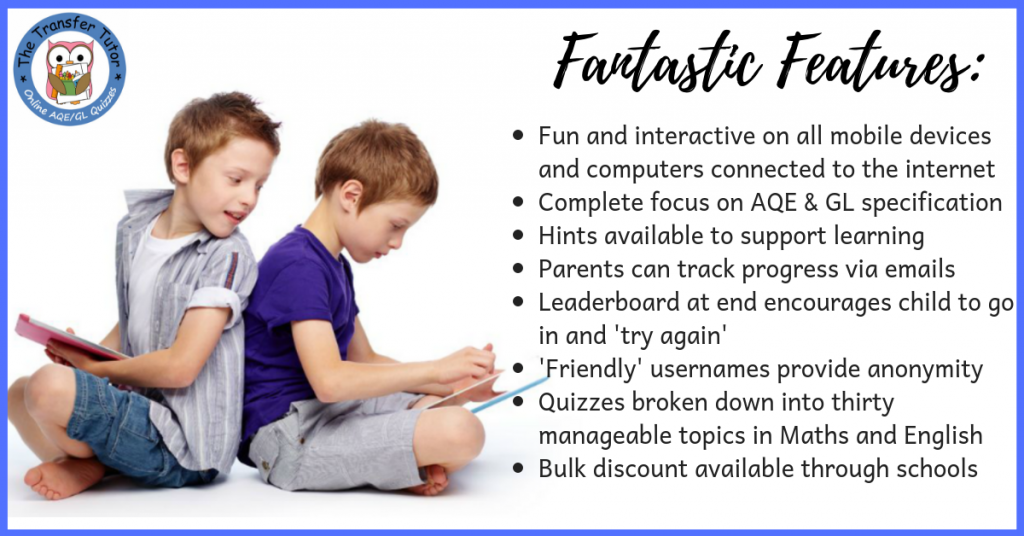
The Transfer Tutor App is an online site dedicated to providing fun and interactive quizzes aligned directly to the new SEAG specification. All quizzes are broken down into manageable topics and can be done on any mobile or tablet device, so it’s an great way for kids to learn and prepare for the test.
There are many, great features including (but not limited to):
- Quizzes broken down into specific English and Maths topics, to allow for focused learning and the ability to hone in on areas of weakness.
- Mobile friendly and works on any internet device.
- ‘Hint’ option supports the child’s learning. For example, in question about calculating area of an irregular shape, the hint will say, “Break it into two” – enough to keep the child going but teaching them for future, similar questions.
- The Leaderboard at the end makes the child feel like they’re playing a game and having friendly competition.
- Good use of colour and graphics which makes it exciting.
- Parents receives a progress email at the end to let them know how their child did.
How To Buy

All normal licences are a simple, one-off payment (except the monthly subscription of course) and they can be purchased in confidence through the usual payment channels including Apple Pay and Goggle Pay.
Licences are purchased depending on the length of time required and as additional years are only charged at £15 per year, it’s worth considering a longer licence if you have a younger sibling.
Simply choose the licence you need depending on the length of time you need access, click on the blue box, pay and then you’ll be off within minutes.

For any further questions, please contact me or check out the Frequently Asked Questions page.
One-off, Great Prices

Google Reviews:

Check out the Google Reviews to read what other customers felt about The Transfer Tutor.
Spoiler alert – all the kids (the most important people) and parents love it!
Social Media Links – Keeping Up To Date

Follow or like The Transfer Tutor on your social media channel of choice and ensure you never miss a beat with the whole transfer process, handy tips, advice, special offers and competitions.
Click below for your preferred channel or search for @TransferTutorHQ wherever you are.
Free Facebook Group
You may have read in the reviews about people referring to the Facebook Support Group and this is certainly a great place to keep informed, ask questions, get support and keep up-to-date with anything happening in the transfer space.
It’s free to join but please ensure you have a genuine Facebook profile picture (ghost pictures are not approved as not deemed authentic) and then simply click here and answer the simple questions -> Join Facebook Group.